How AI Can Automate Your Meeting Minutes
AI can now help with much more than a raw transcript. Current meeting tools can capture speech, structure a recap, identify decisions and next steps, and prepare a document for sharing. The important word is help: platform providers themselves warn that generated output may be incomplete or inaccurate.
This guide separates the automated steps from the controls people should keep. It uses current official guidance from Memora, Microsoft, Google and NIST, checked on 30 August 2026.
What automation actually does
A practical AI meeting-minutes workflow has four stages:
- Capture — the system receives meeting audio or an existing recording.
- Transcribe — speech is converted into text and, where supported, separated by speaker.
- Structure — the transcript is turned into a summary, decisions, action items or a requested template.
- Review and share — a person checks the output, corrects it and controls who receives it.
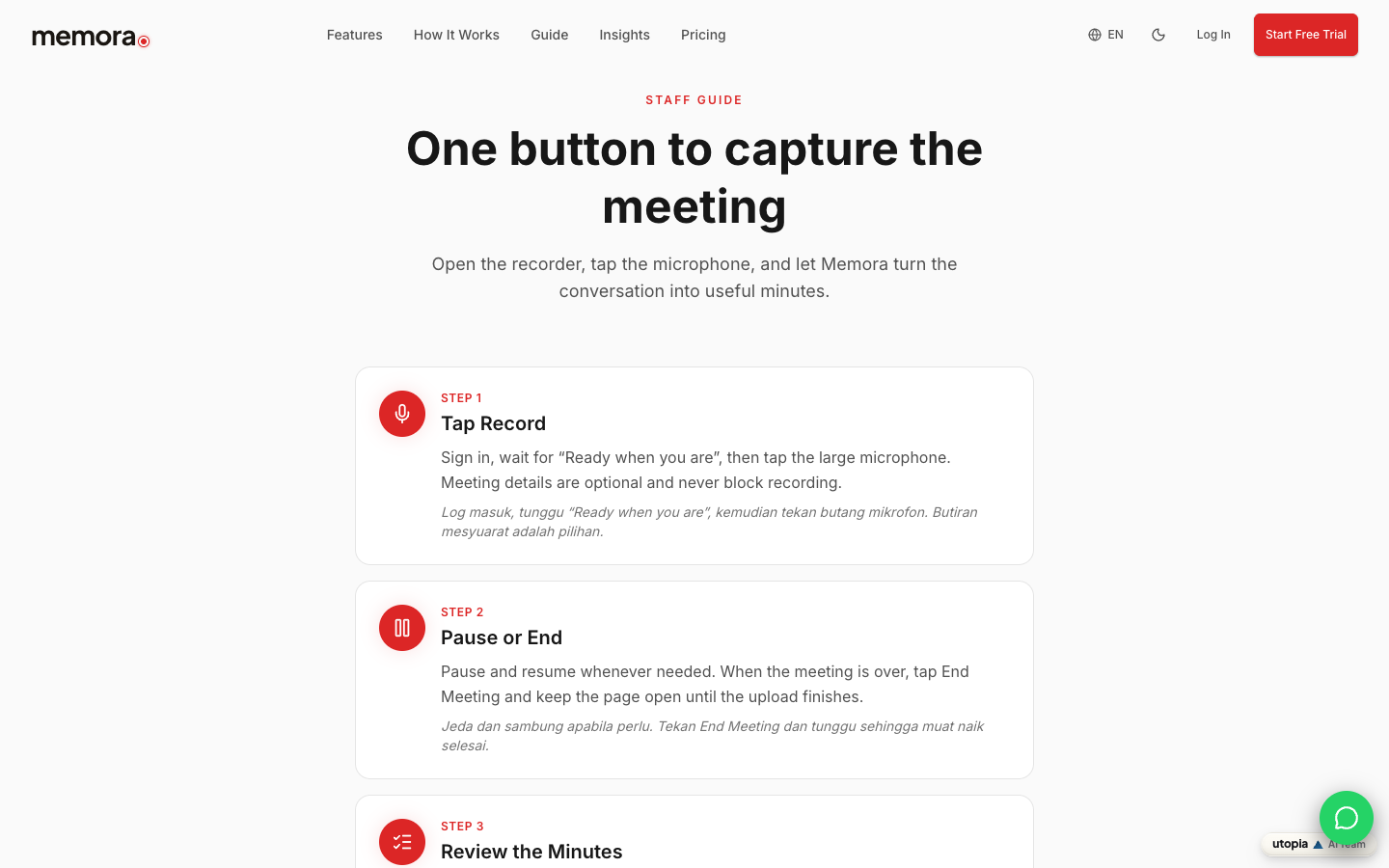
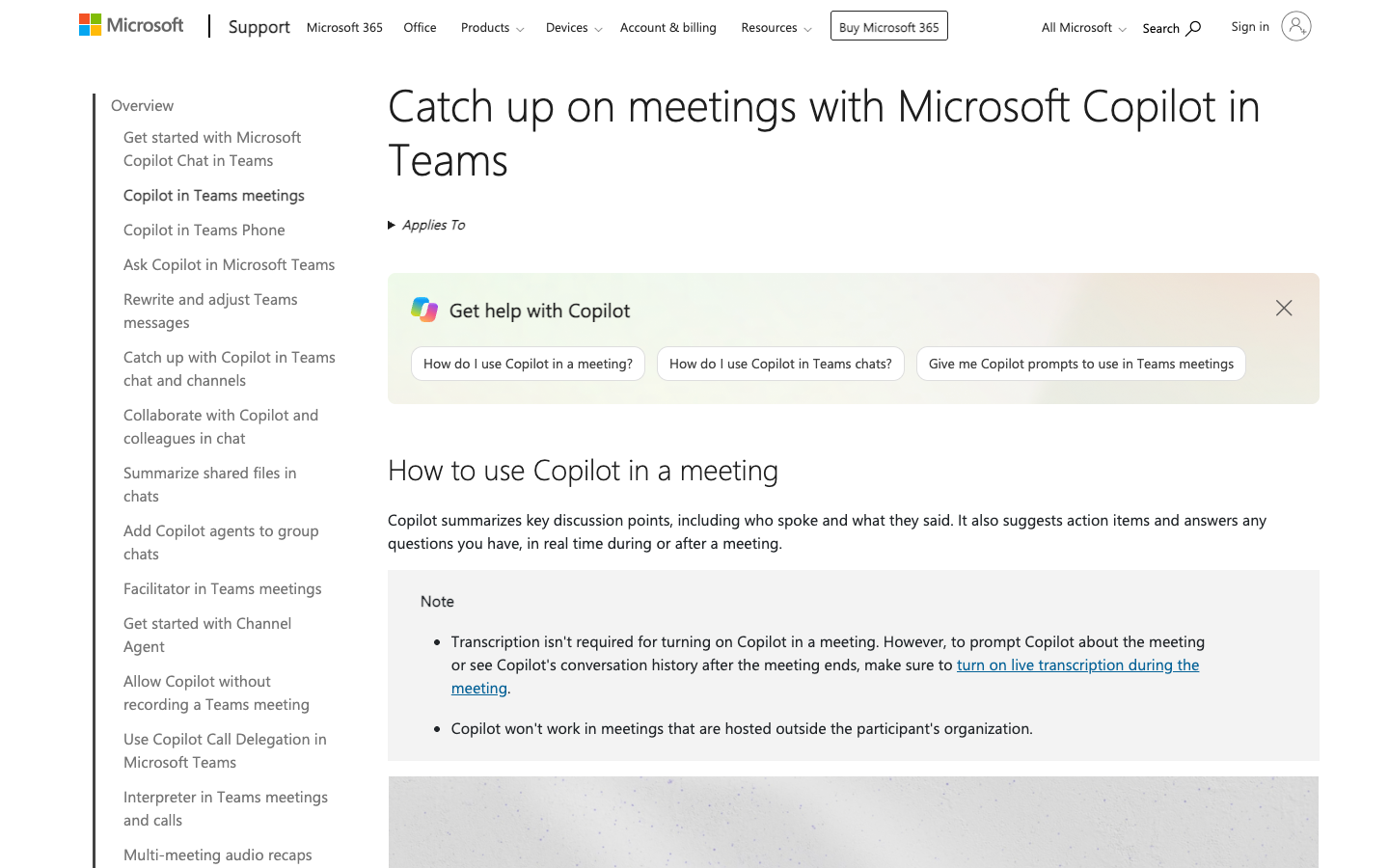
Different products package these stages differently. Microsoft says Copilot in Teams can summarise key discussion points, suggest action items and answer questions about a meeting. Google says its Meet feature can organise notes in Google Docs, provide a catch-up summary and send the organiser a recap link. Memora's public staff guide describes a capture, upload and review flow.
None of those descriptions makes the generated draft automatically authoritative. The final review step is part of the workflow, not an optional extra.
What Microsoft Teams currently supports
Microsoft's current Teams guidance says Copilot can work during or after a meeting, depending on the organiser's settings and whether a transcript is available. For post-meeting questions and recap use, transcription matters because it provides the meeting content Copilot reasons over.
The organiser can set Copilot to work during and after, only during, or be off. Microsoft also notes that some recap capabilities require an eligible Microsoft 365 Copilot or Teams Premium licence. Teams can help prepare notes and action items, but Microsoft tells users to verify AI-generated results.
The practical lesson is to check three things before promising automation to a team: the organiser's policy, the available licence and whether the meeting will be transcribed.
What Google Meet currently supports
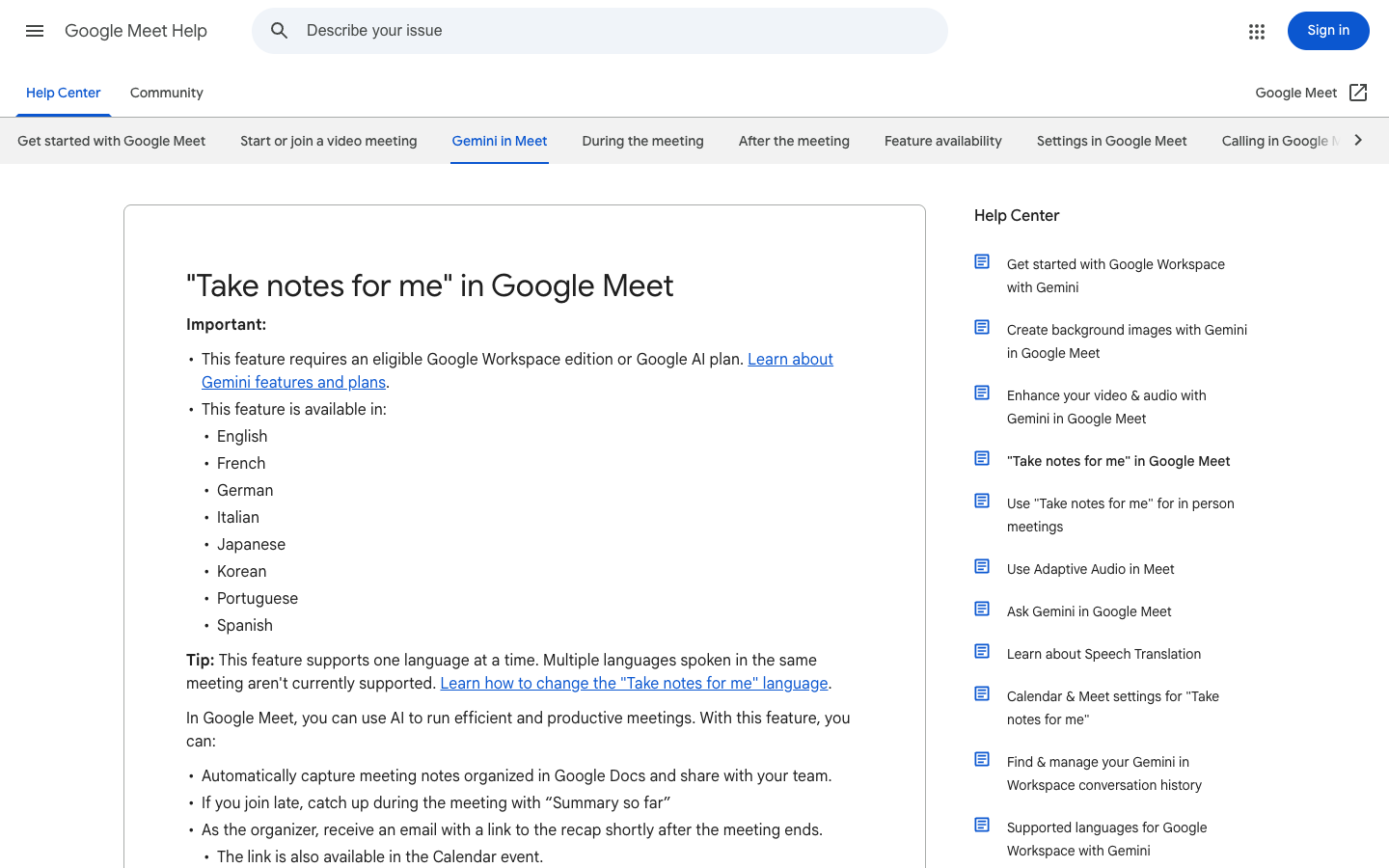
Google Meet's “Take notes for me” feature can automatically create organised notes in Google Docs, give late joiners a “Summary so far,” and attach or share the recap through the meeting's Calendar event. Availability depends on the organisation's Workspace or Google AI plan and administrator settings.
Google's current help page also documents controls that matter operationally: the host can choose note recipients, participants are informed that notes are being taken, and an administrator may require explicit consent for supported meeting features. The page warns that a summary can be incomplete, inaccurate or not generated.
Google currently lists a defined set of supported spoken languages and says the feature supports one language at a time. Teams that switch languages inside the same meeting should test their real speech pattern before relying on the output.
Sources: [4]
The three controls people should keep
1. Participant notice and consent
Tell people when capture or AI note-taking is active and follow the meeting controls available in the platform. Do not assume a feature being available means it should be switched on for every conversation.
2. Access and recipients
Decide who can see the audio, transcript, generated notes and final minutes. A useful recap can still be sent to the wrong audience if the sharing rules are not checked.
3. Accuracy and approval
Assign one person to compare decisions, names, figures and action owners against the transcript or recording. NIST's AI Risk Management Framework treats testing, evaluation, verification and validation as part of responsible AI operation. For meeting minutes, the plain-language version is simple: check the draft before people act on it.
How the workflow looks in Memora
Memora's public staff guide keeps the workflow intentionally short: start recording, pause or end when needed, keep the page open until upload finishes, then review the minutes. The review screen is where a user checks the audio, transcript, summary, action items and decisions.
That order matters. Upload completion is not the same as approval, and a generated summary is not the same as an official record. A reliable internal process names the reviewer and defines which meetings need a second check before distribution.
Sources: [1]
A sensible rollout for your team
Start with a small pilot using real but non-sensitive meetings. Include the languages, accents, room conditions and meeting types your team normally uses. For each test, compare the generated output with the recording and score the parts that matter: names, decisions, figures, dates, action owners and deadlines.
Document who starts capture, who receives the draft, who approves the final minutes and what should never be recorded. Recheck the vendor's current feature, licence and retention guidance before expanding the rollout, because these platform details can change.
The goal is not to remove people from meeting governance. It is to remove repetitive drafting while keeping clear human ownership of the record.
Current workflow differences to verify
| Platform | What the official guidance describes | What your team must still decide |
|---|---|---|
| Microsoft Teams | Copilot questions, summaries, action items and recap features tied to policy, transcription and licence | Meeting policy, transcription, eligible licence, recipients and accuracy review |
| Google Meet | Organised notes in Google Docs, catch-up summary, recipient controls and participant notice | Eligible plan, host/admin settings, language fit, consent and final review |
| Memora | Capture, upload and review of minutes through the staff workflow | Which meetings to record, named reviewer, recipients and approval rule |
AI meeting-minutes pilot checklist
- Choose non-sensitive pilot meetings that reflect real accents, languages and room conditions
- Confirm the organiser's platform settings, licence and transcription requirements
- Tell participants when recording, transcription or AI note-taking is active
- Name the person who checks the draft against the transcript or recording
- Verify names, decisions, figures, dates, action owners and deadlines
- Confirm who receives the draft and who receives the approved minutes
- Write down which meetings must not be captured
- Recheck current vendor guidance before a wider rollout
FAQ
Can AI meeting minutes replace a human reviewer?
They can reduce repetitive drafting, but current Microsoft and Google guidance warns that generated results can be inaccurate or incomplete. Keep a named reviewer for decisions, figures, owners and deadlines.
Does AI meeting-minute software need a transcript?
It depends on the product and the feature. Microsoft explains that post-meeting Copilot use relies on available meeting content and that transcription is important for after-meeting recap. Check the exact platform policy and feature before the meeting.
Who should receive generated meeting notes?
The meeting owner should decide based on the purpose and sensitivity of the meeting. Use the platform's recipient controls and review the draft before wider distribution.
How should a multilingual team test AI notes?
Pilot with the actual languages and switching patterns the team uses. Google's current Meet guidance lists supported languages and says its feature supports one language at a time, so a multilingual workflow needs real testing rather than an assumption.
Key takeaways
- AI can automate capture, transcription, structuring and draft preparation.
- Current platform features depend on settings, licences, transcription and supported languages.
- People should keep control of notice, access, recipients and final approval.
- Generated output should be checked against the transcript or recording before action.
- A small, realistic pilot is safer than switching every meeting on at once.
Sources and image provenance
- How to Use Memora — Memora. Checked 31 August 2026 (HTTP 200). Primary source.Evidence used: Memora's public guide describes the record, upload-completion and review workflow cited in this article.
- Catch up on meetings with Microsoft Copilot in Teams — Microsoft Support. Checked 31 August 2026 (HTTP 200). Primary source.Evidence used: Microsoft says Copilot can summarise discussion, suggest action items and use transcripts for after-meeting questions.
- Recap a Teams meeting — Microsoft Support. Checked 31 August 2026 (HTTP 200). Primary source.Evidence used: Microsoft's recap guide describes recap prompts and explicitly tells users to verify AI-generated results.
- Take notes for me in Google Meet — Google Meet Help. Checked 31 August 2026 (HTTP 200). Primary source.Evidence used: Google documents automatic notes, catch-up summaries, recipient controls, participant notice and accuracy limitations.
- AI Risk Management Framework — US National Institute of Standards and Technology. Checked 31 August 2026 (HTTP 200). Primary source.Evidence used: NIST's AI RMF describes testing, evaluation, verification and validation as part of AI risk management.
Image provenance
- Official product-page screenshot: Memora — captured 30 August 2026 via Playwright browser screenshot of the resolved source URL. First-party screenshot of the public Memora staff guide. Depicted content: Memora / Utopia Ventures. Review: Machine-verified in browser; format approved by CY on 31 August 2026. SHA-256:
f2ca4d612e2cbbbc50a14b60178bfa54dce9e08bba86a95be2eb9cb01fe98f8c - Editorial screenshot: Microsoft Support — captured 30 August 2026 via Playwright browser screenshot of the resolved source URL. Limited editorial screenshot of an official public support page for source identification and commentary. Depicted content: Microsoft Corporation. Review: Machine-verified in browser; format approved by CY on 31 August 2026. SHA-256:
d599cdd9207c30a6514c1a3e02f803bd89f5354321b16ecaf39bbba37b357753 - Editorial screenshot: Google Meet Help — captured 30 August 2026 via Playwright browser screenshot of the resolved source URL. Limited editorial screenshot of an official public help page for source identification and commentary. Depicted content: Google LLC. Review: Machine-verified in browser; format approved by CY on 31 August 2026. SHA-256:
c5eed3e182cb3f0818a8e46b74695c989bf69fa89c06b713dcd4e82093e7d092