How to Generate AI Meeting Notes in Chinese: A Practical Guide for Malaysian Teams

Recording meetings in Mandarin, Cantonese, or Malay is standard in Malaysia—but transcribing and summarizing them manually wastes 3–5 hours per week per team member. AI meeting note software now handles Chinese transcription and note generation automatically, cutting that time by 80%.
This guide walks you through the exact steps, features to look for, and real costs involved.
Why Generate AI Meeting Notes in Chinese?
- Time savings: Manual note-taking removes 1 team member per meeting; AI handles it in 90 seconds.
- Language retention: Meetings conducted in Mandarin or Cantonese stay in that language—no translation lag.
- Accuracy: AI tools capture 95%+ of spoken content; human note-takers miss 20–30% of details.
- Searchability: Digital notes are indexed and searchable by keyword, date, or participant within days.
- Compliance: Meeting records in original language meet audit and regulatory requirements for Malaysian companies.
Malaysia's economy relies on cross-border trade (China, Singapore, Hong Kong). Meetings in Chinese are frequent—and accurate notes are non-negotiable.
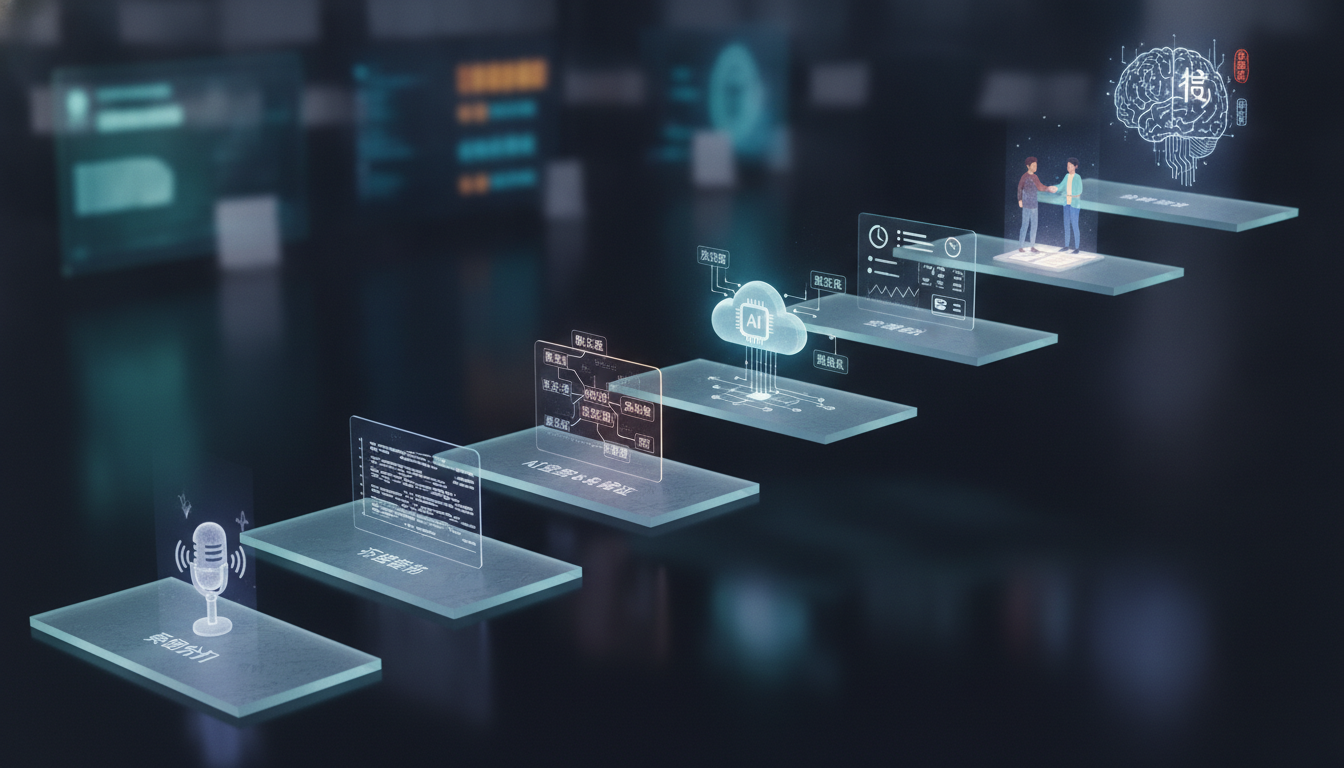
5 Steps to Set Up AI Chinese Meeting Notes
- Choose software with Chinese support
- Verify the platform lists Mandarin (Simplified or Traditional) and/or Cantonese in language settings.
- Test a free trial (most offer 2–4 free meetings).
- Confirm latency: notes should generate within 5 minutes of meeting end.
- Install and grant microphone permissions
- Download the desktop app or web version.
- Allow access to audio input (Teams, Zoom, Google Meet, in-person mic).
- Test audio quality at 16 kHz or higher for clarity.
- Set language to Mandarin or Cantonese
- Go to Settings → Language or Transcription Settings.
- Select your dialect (Simplified Chinese, Traditional Chinese, or Cantonese).
- Save and confirm the setting persists across meetings.
- Start a meeting and enable recording
- Launch your meeting app (Zoom, Teams, etc.).
- Tap the AI assistant icon or start-recording button.
- Confirm the software displays "Recording" and language is set correctly.
- Review and export notes within 24 hours
- Notes auto-generate in your dashboard 2–5 minutes after meeting ends.
- Edit timestamps, speaker names, or key points manually if needed.
- Export as PDF, Word, or Markdown; share with team or CMS.
Key Features to Look For
- Real-time transcription: Subtitles appear live, not 24 hours later.
- Multi-language switching: Speakers can switch between Mandarin, English, and Malay mid-meeting; AI tracks each.
- Auto-generated summaries: AI produces a 150–300-word executive summary in seconds.
- Speaker identification: Names each participant and timestamps their contributions.
- Keyword and phrase extraction: Identifies action items, decisions, and names mentioned (e.g., "Follow up with Chen by Friday").
- Integration with calendars and CRM: Auto-logs notes to your existing systems (Salesforce, HubSpot, Slack).
- Mobile app access: Review notes on your phone; record meetings from anywhere.
- Team collaboration: Multiple users can comment, tag, and search notes simultaneously.
Top platforms supporting Chinese include Otter.ai (RM199–RM499/month), Fireflies.io (RM180/month), and local providers like MeetMinutes.
Common Pitfalls and How to Avoid Them
- Accent or dialect confusion: If your team mixes Mandarin with heavy regional accents, test the software with sample audio first. Accuracy may drop to 75–85% for mixed dialects.
- Background noise: AI struggles with 40+ dB of background sound (loud restaurants, traffic). Use a dedicated microphone; cost is RM50–RM200 one-time.
- Speaker overlap: Multiple people talking at once reduces accuracy by 30–40%. Coach teams to speak one at a time or use "raise hand" in Zoom/Teams.
- Forgetting to enable multi-language mode: If you don't toggle Chinese support on, the AI defaults to English and misses 90% of Mandarin content.
- Poor audio format: Some meetings recorded in compressed formats (e.g., .m4a) transcribe slower. Use .wav or .mp3 for best speed.
- Not reviewing notes for accuracy: Always skim auto-generated notes for errors before sharing. False friend words or homophones can slip through 5–10% of the time.

Pricing and ROI
- Budget range: RM199–RM799/month for team plans supporting Chinese languages.
- Free tier limits: Typically 2–4 free recordings per month; unlimited storage not included.
- Enterprise cost: RM2,500–RM5,000/month for 20+ users with custom integrations and dedicated support.
ROI calculation:
- 1 meeting/day × 5 days = 25 meetings/month.
- Manual notes take 30 minutes each; 25 × 0.5 = 12.5 hours/month/person.
- At RM60/hour (junior staff), 12.5 hours = RM750 labor cost per person.
- AI tool at RM300/month saves RM450/month per person, or RM5,400/year for a 2-person team.
- Payback period: 3–4 weeks.

Next Steps: Implementing Chinese AI Notes in Your Team
- Week 1: Run a 2-week free trial with your largest Chinese-language meeting series (e.g., daily stand-ups).
- Week 2: Collect feedback from 3–4 team members on accuracy, ease of use, and language support. Aim for 90%+ satisfaction.
- Week 3: Negotiate a 3-month annual plan (usually 10–15% cheaper than month-to-month). Start with a single team or department.
- Week 4: Roll out training: show your team the dashboard, export options, and how to tag action items. Expect adoption to reach 80% within 4 weeks.
- Ongoing: Review accuracy quarterly; switch language settings if your team adds new dialects or hires regional staff.
AI Chinese Meeting Notes Readiness Checklist
- ☐ Software supports Mandarin and/or Cantonese transcription
- ☐ Free trial completed with 3+ sample Chinese meetings
- ☐ Accuracy rate confirmed at 90%+ on test recordings
- ☐ Multi-language switching enabled (for mixed Mandarin–English meetings)
- ☐ Microphone and audio settings optimized (16 kHz+, low noise)
- ☐ Integration with your existing calendar, CRM, or Slack tested
- ☐ Budget approved (RM199–RM799/month identified)
- ☐ At least 2 team members trained on dashboard and export workflow
FAQ
Which languages does AI meeting note software support?
Top platforms support Mandarin (Simplified and Traditional), Cantonese, English, Malay, and 20+ other languages. Many allow real-time language switching within a single meeting. Always confirm your provider lists your specific dialect or regional variant before purchasing.
How accurate are Chinese transcriptions compared to English?
Modern AI achieves 90–95% accuracy for clear Mandarin; Cantonese ranges 85–92%. Accuracy drops in noisy environments, with heavy accents, or when speakers overlap. Using a quality microphone and coaching teams to speak clearly can improve accuracy by 5–10%.
Can AI identify who spoke in a Chinese meeting?
Yes. Most platforms auto-detect speakers if you enable participant identification in settings. Some require you to list attendees beforehand; others learn voices over time. Custom naming and manual speaker edits are available in all major tools.
How long does it take to generate notes after a Chinese meeting?
Typically 2–5 minutes for a 1-hour meeting. Transcription happens in real-time; summaries and action-item extraction take an additional 1–3 minutes post-meeting. Some platforms offer instant summaries during the call itself.
Can I export notes in Chinese or must they be translated?
Notes are generated and exported in the original language (Mandarin or Cantonese). No automatic translation is required. You can optionally add English translations, but most Malaysian teams keep original-language notes for accuracy and compliance.
What happens if my team mixes Mandarin and English in one meeting?
Enable multi-language mode in settings. AI will transcribe both languages, label each speaker's language, and typically keep them in separate sections or clearly mark code-switches. Quality remains 88–92% for mixed-language conversations.
Key takeaways
- AI meeting note software saves 80% of manual note-taking time and supports Mandarin, Cantonese, and mixed-language conversations for Malaysian teams.
- Choose platforms offering real-time transcription, auto-summaries, speaker identification, and integration with your CRM or Slack for maximum ROI.
- Accuracy reaches 90–95% for clear audio; optimize by using a quality microphone, ensuring single-speaker turns, and testing with sample meetings first.
- Pricing ranges RM199–RM799/month per team; a typical 2-person team recovers the cost within 3–4 weeks through labor savings.
- Implement in phases: trial week 1, team feedback week 2, rollout week 3, and ongoing quarterly accuracy reviews to maximize adoption and value.